All-in-One Downloader
Use one familiar downloader for supported links from several popular video and social platforms.

One free downloader for supported videos from your favorite platforms.
Use one familiar downloader for supported links from several popular video and social platforms.
Access the available downloader tools without paying for basic use or starting a subscription.
Run EzSave in your browser without installing a separate application or browser extension.
Open the downloader from a modern browser on your phone, tablet, laptop, or desktop computer.
Copy a public video URL, paste it into the form, and continue with the result provided.
Use dedicated tools for YouTube, TikTok, Instagram, Facebook, and X (Twitter) from one website.
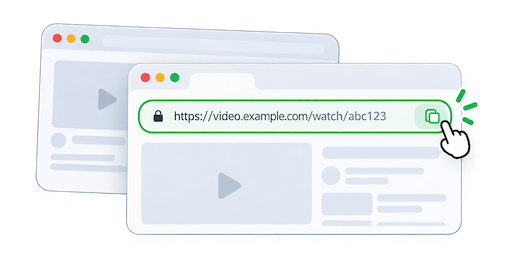
Copy the link of the video you want to download from a supported platform.
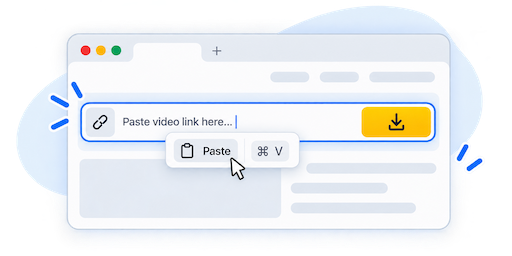
Paste the copied video URL into the EzSave download form above.
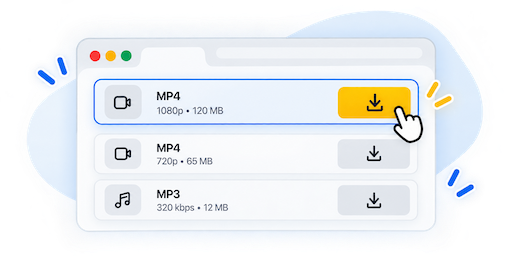
Select an available option when offered, then download the video to your device.
Open a dedicated downloader for the platform where the video was published.

Process supported public YouTube video links.
Try Downloader
Save supported public TikTok videos through a direct flow.
Try Downloader
Download supported Instagram videos and Reels.
Try Downloader
Use public Facebook video links with the dedicated tool.
Try Downloader
Download supported videos shared through public X posts.
Try DownloaderEzSave is a free all-in-one video downloader that brings several platform-specific tools together in one website. Instead of visiting a different service whenever a video comes from another social network, you can begin with the same clean download form and a familiar process.
Online videos are shared across many different services, and each platform handles its links and media differently. EzSave provides dedicated support for YouTube, TikTok, Instagram, Facebook, and X (Twitter) while keeping the experience consistent for the user. Copy the public video URL, paste it into EzSave, and let the appropriate downloader process the source.
Results depend on the platform and the media behind the submitted link. Some supported sources may provide format or quality choices, while others may offer a more direct download flow. Keeping these tools together makes it easier to download videos online without learning a completely different interface for every website.
EzSave works directly in a modern web browser, so there is no separate program or browser extension to install. You can use the online video downloader from a desktop computer, laptop, tablet, or mobile phone. The layout adapts to different screen sizes while keeping the main form and download steps easy to reach.
On mobile, copy a video URL from the source platform's sharing controls and return to EzSave in your browser. On desktop, you can usually copy the full link from the address bar. Paste the URL into the form, continue with the result shown for that platform, and save the available file through your browser.
The basic workflow is intentionally straightforward: find the video, copy its link, paste the URL, and download the available result. This makes EzSave useful as a general social media video downloader while allowing each dedicated platform tool to handle its own source correctly.
Download availability can change according to the original post, its access settings, and the source platform. Private, deleted, restricted, or unsupported media may not be processed. Only download videos that you created, own, or have permission to save, and respect the rights and terms that apply to the original content.
Practical tips for downloading supported videos, solving link problems, and choosing the right workflow.
Learn how an all-in-one video downloader works, how to copy valid video links, and how to save supported online videos responsibly.
Read GuideA practical guide to downloading supported YouTube videos online, from copying the correct URL to choosing an available result.
Read GuideUnderstand YouTube video quality, resolution, file size, and available download formats before saving a supported video.
Read GuideLearn how to copy a TikTok video link from the app or browser and use an online TikTok downloader on any device.
Read GuideFollow a clear process for copying an Instagram video URL and saving supported Instagram content through your browser.
Read GuideA step-by-step guide to finding a Facebook video link, processing it online, and resolving common link problems.
Read Guide